Solve Unamusement: Emulator

View Elsewhere

Solve Unamusement has been closed, but that does not mean you can't still find random amusements or keep in touch with the former author of this blog.

Everything shall be on the author's deviantART journal and there is a feed to go with it.

The Dudel Journal
Showing posts with label Emulator. Show all posts

Fusion (Sega Emulator)


Some may or may not know that while this writer is a very obvious Nintendo fanboy that some Sega games are enjoyed. One Sega game which is fully enjoyed has always been PSO but that's not today's point.

Today we speak of the only Sega based emulator on your Solve Unamusement writer's PC. That emulator being the Fusion

Format!


People, please, if you downloaded the VBA and have not formatted the setting to allow for all game compatibility do that now. Due to my own special behavior I had forgotten to actually format my GB(C)/GBA emulator the VBA and it cause a failure in its memory. This turned out to not be such an uncommon problem was was very user error.

See the issue was that the emulator could not figure out what file size it was to save as. This isn't a problem with the cartridge and handhold directly as they quickly and easily respond to each other and recognize file save formats. However, when emulating a system there is not always a direct recognition so one must first force the format.

The solution was rather simple, if not irritating on my own part. One only had to switch the memory settings to "Automatic" and "128K" and turn on the real time clock, which I did. The problem is that these things had been done after the game save was created so a new one needed to be made.

That last part, I did not know. Figuring it was simply a small problem with the emulator and easily fixed with save sates, which it was for the most part, I trucked on. However, soon I realized that the game I was playing, Pokemon Fire Red, needed to be able to actually hard save to the ROM. This was because of actual events within the game that require a real save to exist. Such as completing the game and allowing for trade and/or link battle.


Here is a link to my special behavior.
Some might get a kick out of, I know I find it amusing.


CoolROM


Safe, secure and mostly legal, CoolROM.com has to be your best choice for ROMs, ISOs and other emulator files. This being, for one main reason. CoolROM has some very strict rules about what does, and does not, get posted on its site.

While there are many, many, available ROMs and links to emulators to play them, nothing on CoolROM will ever be taken down to a legal infringement. Simply put, any ESA protected ROMs, franchises and anything pertaining to the Xbox, PS2 and up is not allowed on the site. Only obsolete and dead consoles are allowed for download via the main site. This basic practice and premise keeps the site about the games and less about "free stuff" while also keeping away the troubles that comes with "early emulation".

All of that, plus a great community that is all about the games and you've a winner of a site. Covering everything from the Atari 2600 up to the PSX, CoolROM has what you're looking for if you are worried about the ESA or just don't want anything that you should not. The site even runs Dream Cast ISOs, which is moderately rare for most sites. You've to join the forum if you wish to get ISOs for the Dream Cast and PSX but when you do there is a wonderful set of people ready to help you with anything you need.

Not to mention that CoolROM's best feature, ROM suggestion, on the side of the screen always has you pointed at popular ROMs for the system you are browsing. It fluctuates, on average, weekly to monthly.

Here's to seeing you on-site, cheers.


NEStopia


Emulating the NES and/or Famicon is something that a lot of "oldies" would love to do and a lot of you already do. The SNES is where I personally stated so not much is known about the system other then the fact that if it wasn't for the NES no other console and games would exist at all. This includes current systems and games. One of the most obvious is one of the "high profile" series that started on this system.

An RPG to literally end all RPGs was the idea behind Final Fantasy. Square, which was the devolper at the time, was going under along with the system it was trying to make games for. So as a "last ditch" they made a game with a literal meaning. This was going to be their last fantasy game, ever. However the game sold and sold and sold so much that demand for a sequal was high. The now very drawn out and over done FF (Final Fantasy) series is due to this one game.

Not to mention a lot of "game standards" started on the NES. The first person RPG, which I am not a direct fan of usually, had its root on PC gaming at the time but the NES, and later the SNES, seemed good fits for the genere. However the type of game is all but phased out in today's world with the, as far as I know, exception of the Elder Scrolls games and some copy-cats, though could be mistaken.

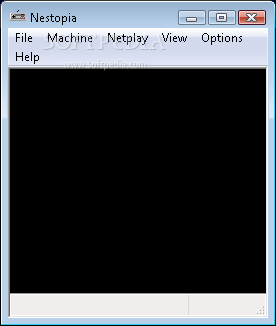
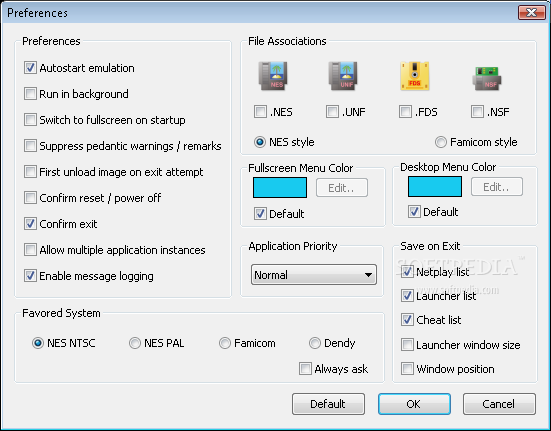
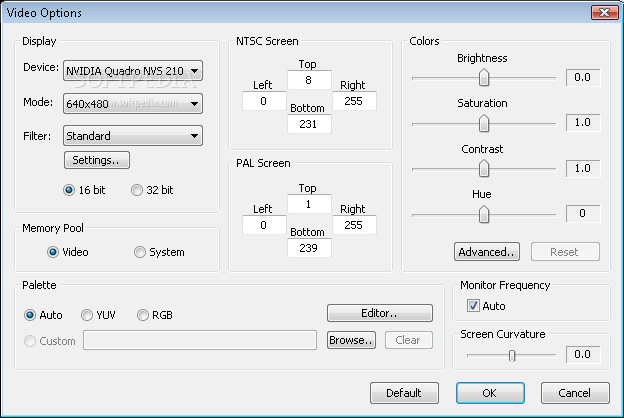
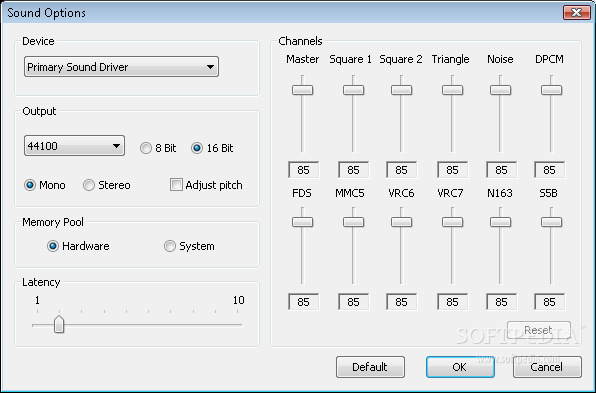
The emulator for the NES that I would suggest is NEStopia and it is the one that many people on a frequented site I visit for ROMs and emulation visit. The emulator works very similar to the VBA with only small exceptions with some small set up "problems". The source folders for save states, cheat codes and other things will have to be "redirected" after download if you do not place the game directly in the documents folder and move on. It is simple to do as NEStopia auto detects where the folders from the unzip (actually the one I found was a .rar file) are. Simply telling the emulator to select defaults will do the trick as most will not use these features anyway. Going into the options tab of the the Emulator it is best to select each item and select the defaults for the program.


Upon fixing these settings and a few others to default all you'll need are the ROMs. I downloaded an NES package of all known ROMs as I've never played a single game on the system so its best to just have the full thousand plus titles available for me. Some are not full games and only demos or prototypes but that is only about a hundred of the thousand so there are still plenty of games with a simple and small download.

Caution: Using emulators and having ROMs without owning the cartridges is technically illegal. Any ESA restricted titles that are obtained are illegal even with owning the cartridge.

Extra Note: Any system that has been deemed as "dead" or obsolete is usually not "watched" to close by authorities and most let infractions slide even on ESA titles but a caution is still needed.

Hand Held Emulation (VBA)


Emulation is not stuck solely for in home consoles, which is proven with the Virtual Boy Advance. The Virtual Boy Advance or VBA, emulates all Nintendo Game Boy games from the Advance down. Which allows for a vastly extended library of titles. Like the ZSNES the VBA has some interesting features that allow for enhanced play opportunities. Cheatp to play with low system reqs this is for a lot of people who aren't looking for "too much" or need a dose of something they might miss from earlier years.


Core Features
(In No Particular Order)


Windows Windowed. Unlike the ZSNES the VBA opens in an actual windows window which allows for being stretched with the mouse rather then having to adjust settings within the emulator. This is handy considering the base size for the screens is that of the systems they come from. (1 x 2 in and 2 x3 inc are standard)

Run Zip: Like the ZSNES the VBA does not require you to unzip game files in order to play them. The VBA itself must be unzipped. This saves hard drive space, but not much, and also provides simple loading and reloading.

Save States: While common among most emulators and ROM files, the save state is still a core feature to the VBA. This allows to save without the need for in game save options, which is handy.

Recording: As with a lot of emulators recording is slowly becoming standard. This allows you to, simply put, record your game sessions for whatever reason. You may also screen shot/capture.

Ease of Use: The emulator puts everything right in front of you with simple drop down and know how buttons. There is even a help menu for those that may need it.

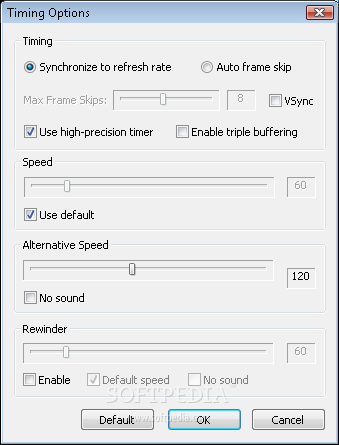
Among those there are also many options on how to adjust the audio and video so that it will run on any machine. Forcing the frame rate, allowing the audio to adjust, as the Game Boy audio was brutal. My suggestion for options is to mute the audio on the VBA as the horrible music and sounds do not translate well into even low end PC speakers. The video will be a machine by machine base but to improve speed the easiest thing to do is boost or lower the frame rate which can be done simply in the frame rate option.

Most new emulators have these features, but the VBA was one of the first to get it working great before it was all standard. An update for the VBA has not been released sense 2005, do not get your hopes up for one.


Caution: Using emulators and having ROMs without owning the cartridges is technically illegal. Any ESA restricted titles that are obtained are illegal even with owning the cartridge.

Emulation (ZSNES)


Emulation, emulators and ROMs have recently been on my sight for solving the problem. Within the last few months I have played a few SNES games either for the first time, as I was not old enough to enjoy a few to their extent and/or lacked the attention span to finish them, or as a second, third and even fourth run through. The ZSNES is one of the most well founded and stable emulators that I've seen on the net not to mention the most popular. There, really, is no other way to play SNES roms. The major "selling point" for the ZSNES are its simplicity and some key features that everyone should know about.

ZSNES Key Features
(Not listed in particular order)


ROM zip: While the ZSNES is a ziped file, and you will need a program to unzip it, the ROMS can be used within the ZNES unzipped. Provided that the folder/file you saved the ZSNES into is either in the ROM folder or at least next to it, the ZNES will also auto-detect its games.

Controls: Because it is built with PC gaming in mind the controls are 100% customizable and it also works with several controller types, joysticks and game pads. Any hardware that is NOT your keyboard may need additional programing which could possibly be found on the net. Suggest simply customizing your keyboard to fit play style or to obtain a controller adapter to something you've got on hand, already.

Mods/Hacks: The ZSNES itself can't really "get hacked" but the program does allow you to alter somethings within the games it loads. It is simple to do and guides on hacking your ROMs with the ZSNES can be found online.

Low Requirements: This is a BIG selling point with myself. The file size for the ZSNES doesn't break a gig and most ROMS float at about 5 kilobytes. Larger and more involved games will be higher in size but will almost NEVER break a half gig. Not to mention, as you are playing low bit games, the vid and audio found on basic machines will allow for the ZSNES to operate.

Save States: The ability to create a save file at any point and then later to return to that exact point. Commonly used for "amusing" cut scenes, whether trying to avoid seeing them again because of constant death or to view something later. Excessive save stating can corrupt ROM files and save data, so watch out.

Speed Up Frame Rate: Holding down the tilde key causes the ZSNES to speed up its frame rate. This is good for skipping cut scenes, speed runs, or when you may get like me whos attention span may "slip and/or are in a hurry for no good reason. This feature can be adjusted.

Customizable Window: Has many options which include; the ability to play at many different sized windows and resolutions, adjust the color filters on the ZSNES and games it plays for a personal look and options to play full screen or not as well as number of pixels shown. Number of pixels shown may be limited by the "sync to monitor" feature.

Keycode Combos: Initiate a string of key presses without need for other mods and hacks. Works well with customizable keyboards, especially when you have multiples.

It is my full recommendation that anyone looking for free, low system requirement games that are not browser based, download the ZSNES and play the game catalog. Playing NES games would not be a bad idea either as the requirements for this would be even lower. Check side bar for links to emu and ROM sits.


Caution: Using emulators and having ROMs without owning the cartridges is technically illegal. Any ESA restricted titles that are obtained are illegal even with owning the cartridge.

 
|  Solve Unamusement. Blogger Template By Lawnydesignz Powered by Blogger